Alex · Tenant admin
One Service. Two Responsibilities.
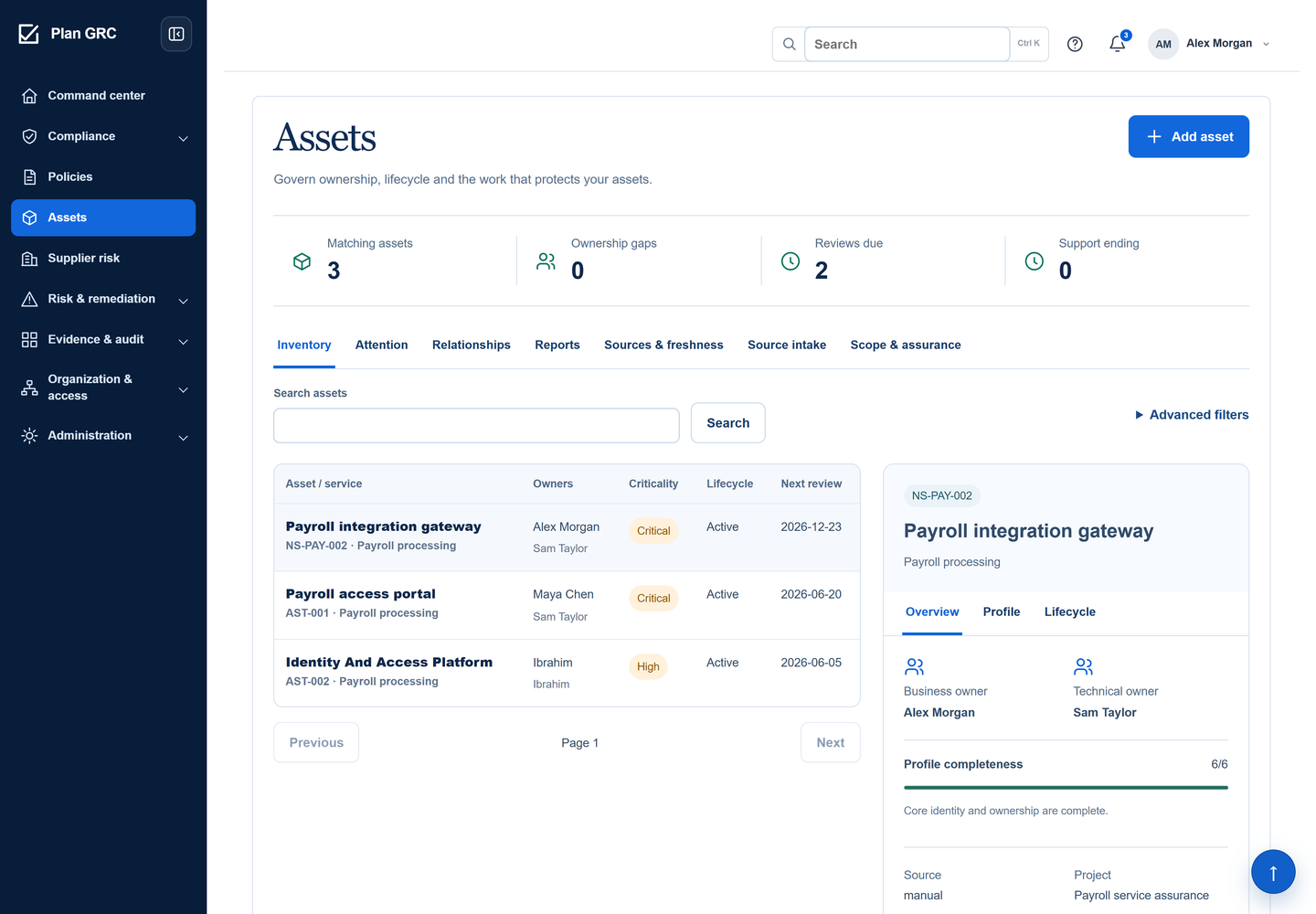
The payroll gateway names Alex as business owner and Sam as technical owner. Their responsibilities sit beside the service identity, so the next conversation starts with the right people.

Connect ownership, classification and review to the service your business depends on.
Northstar’s payroll gateway transfers authorised employee changes to its supplier. Alex understands the business responsibility; Sam maintains the technology. A useful record explains both perspectives, the information involved and who must respond when something changes. Listing the gateway does not establish that it is protected.
Record the service, department, technical identifier, hosting, exposure, criticality and information classification.
Record the service, department, technical identifier, hosting, exposure, criticality and information classification. Assign active business and technical owners. A governed record starts registered, awaiting review; creation alone does not activate it.
Submit the prepared profile for review.
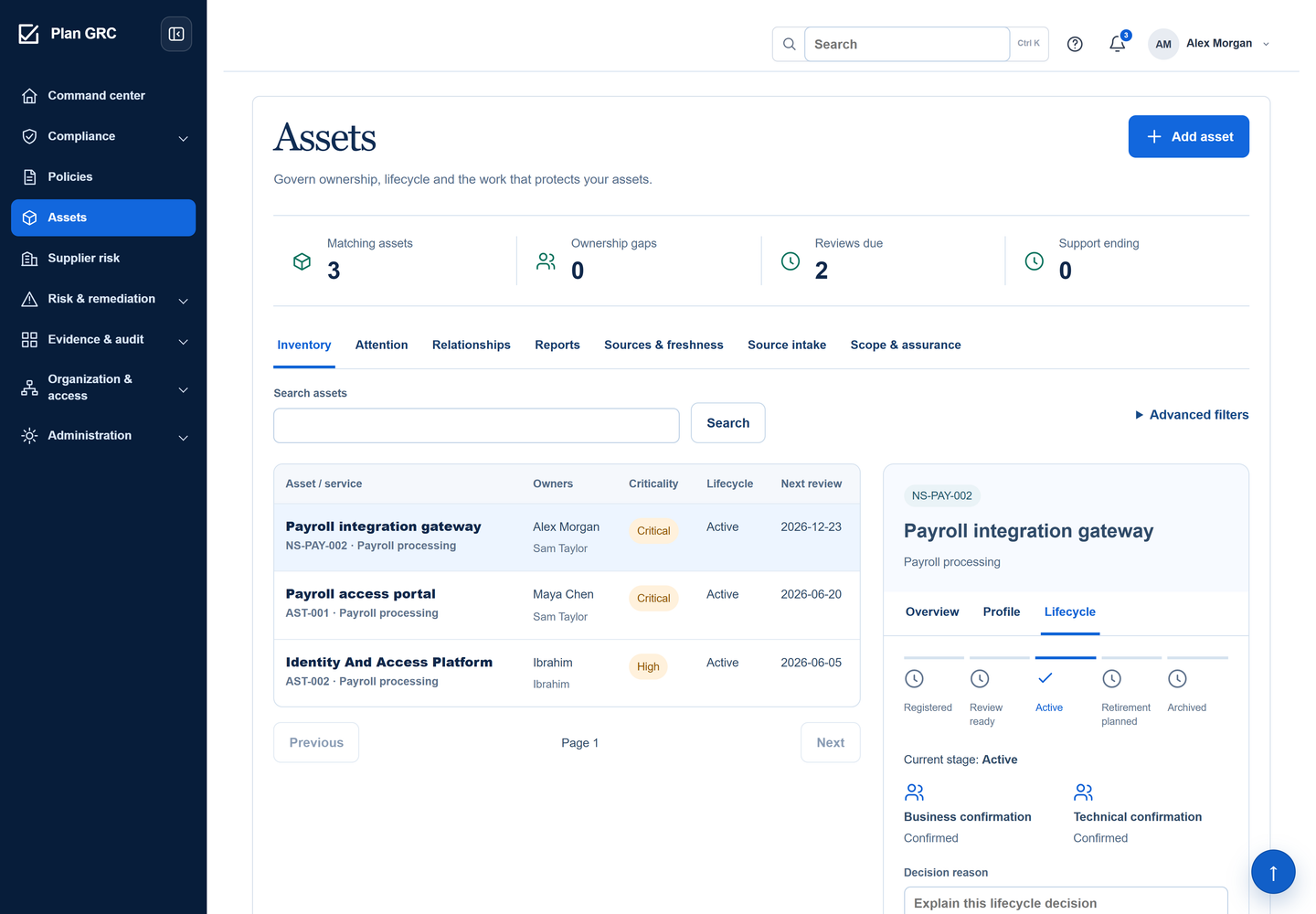
Submit the prepared profile for review. Alex confirms business ownership; Sam confirms technical ownership. Each named owner acknowledges their own responsibility. The asset manager can activate the record only after both confirmations are present.
Within the permitted project, relate applicable controls, policies, risks, evidence, suppliers and dependencies to the asset.
Within the permitted project, relate applicable controls, policies, risks, evidence, suppliers and dependencies to the asset. Retain the reason for each governed relationship. Shared business context does not bypass the linked record’s access permissions.
Use attention signals and review dates to find work that needs a decision.
Use attention signals and review dates to find work that needs a decision. Material changes to ownership, classification, exposure or other governed profile fields clear earlier confirmations and return active records to change review. Owner changes require a reason.
Where source intake is enabled, preview supported exports before committing them.
Where source intake is enabled, preview supported exports before committing them. A matching observation preserves the accepted profile; a new candidate still needs owners and review. Source comparisons cover name and type, with freshness shown separately.
Plan retirement, then document shutdown, credentials, retention and supplier closure.
Plan retirement, then document shutdown, credentials, retention and supplier closure. Resolve dependency, scope and finding blockers. Approved evidence and fresh confirmations from both named owners precede finalisation by an authorised manager. The archive retains the record and decision history.
Choose a record. See what it means, who is responsible and what still needs to happen.
The payroll gateway names Alex as business owner and Sam as technical owner. Their responsibilities sit beside the service identity, so the next conversation starts with the right people.
The payroll gateway names Alex as business owner and Sam as technical owner. Their responsibilities sit beside the service identity, so the next conversation starts with the right people.
Payroll gateway profile with separate business and technical owners.
Open the original product screenBoth confirmations are retained with the lifecycle view. Later planning does not erase accountability or turn a retirement intention into a completed archive.
English capture: active after both confirmations. The Arabic capture shows later retirement planning.
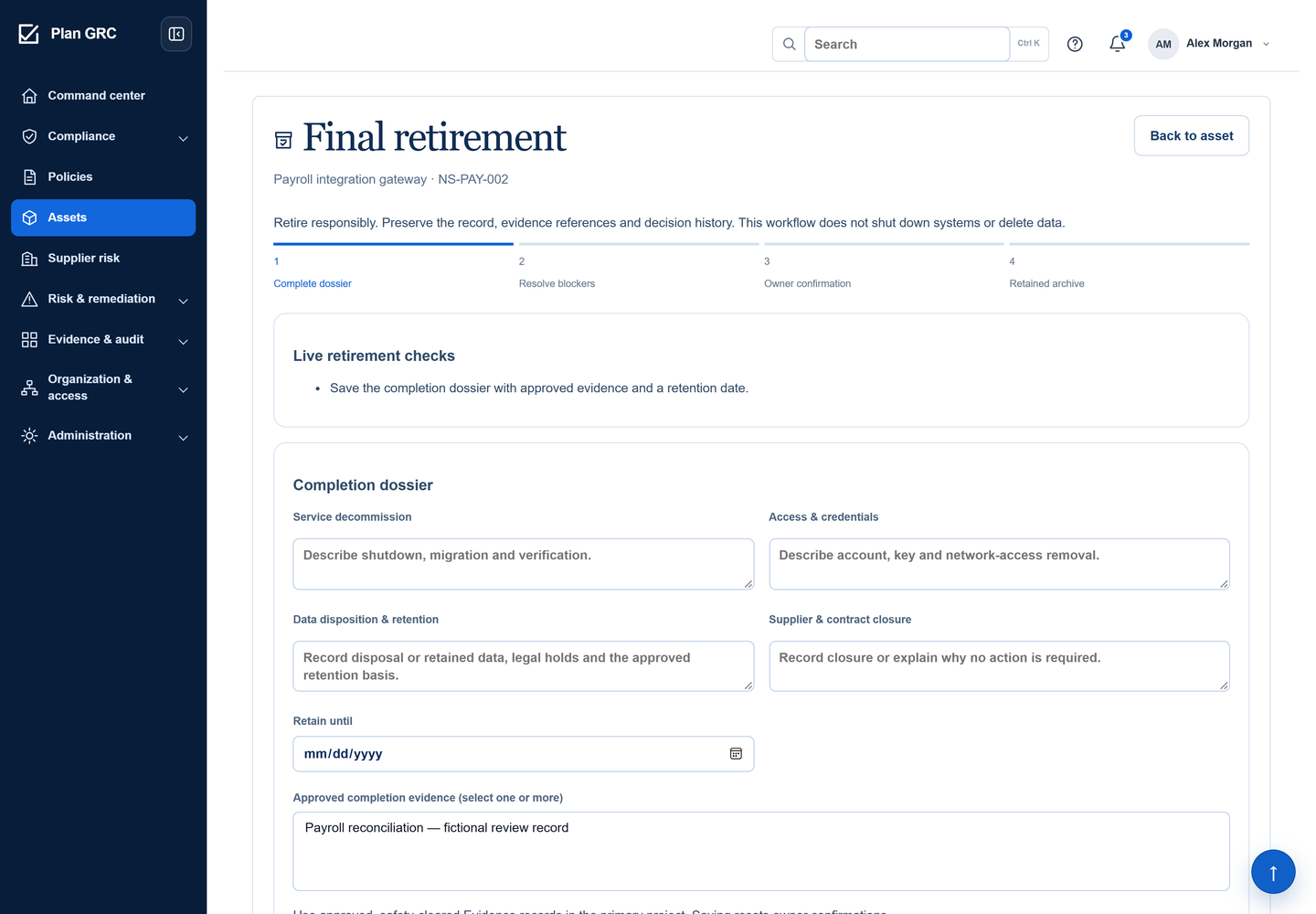
Open the original product screenThe retirement dossier is still empty. The live check requires completion evidence and a retention date. The team must document and confirm the work before finalisation becomes possible.
An unfinished retirement dossier, with its current blocker and required fields.
Open the original product screen
Use each signal for the question it actually answers.
Criticality, sensitivity and exposure describe the asset’s context. A complete profile is not proof of effective protection.
Project-specific links show what depends on the asset and which assurance records apply. A patch baseline covers only its declared assets and updates.
A stale source needs attention. It does not prove the system disappeared, changed ownership or can be retired.
PlanGRC records accountability and lifecycle decisions. It does not discover every system, execute shutdowns, remove credentials or enforce storage retention. Supported intake includes reviewed CSV and offline ServiceNow JSON; this is not a live inventory synchronisation service.
No. New candidates remain registered with unassigned owners. Matching observations preserve existing master fields. Enabled intake requires preview and a recorded review decision.
No. Ownership names a responsibility. Role and granted scope determine access; an organisational assignment does not independently provide permission.
Material governed changes invalidate earlier confirmations. Active records return to change review so the named owners can confirm the updated facts before reactivation.
The application retains a read-only asset archive, history, links and evidence snapshots. It does not delete the underlying system or automatically close related findings.
Bring its asset list, owners and current review problem. Walk through registration, responsibility and the next lifecycle decision in a focused demo.