Tenant admin
See the Version and Its Accountable People.
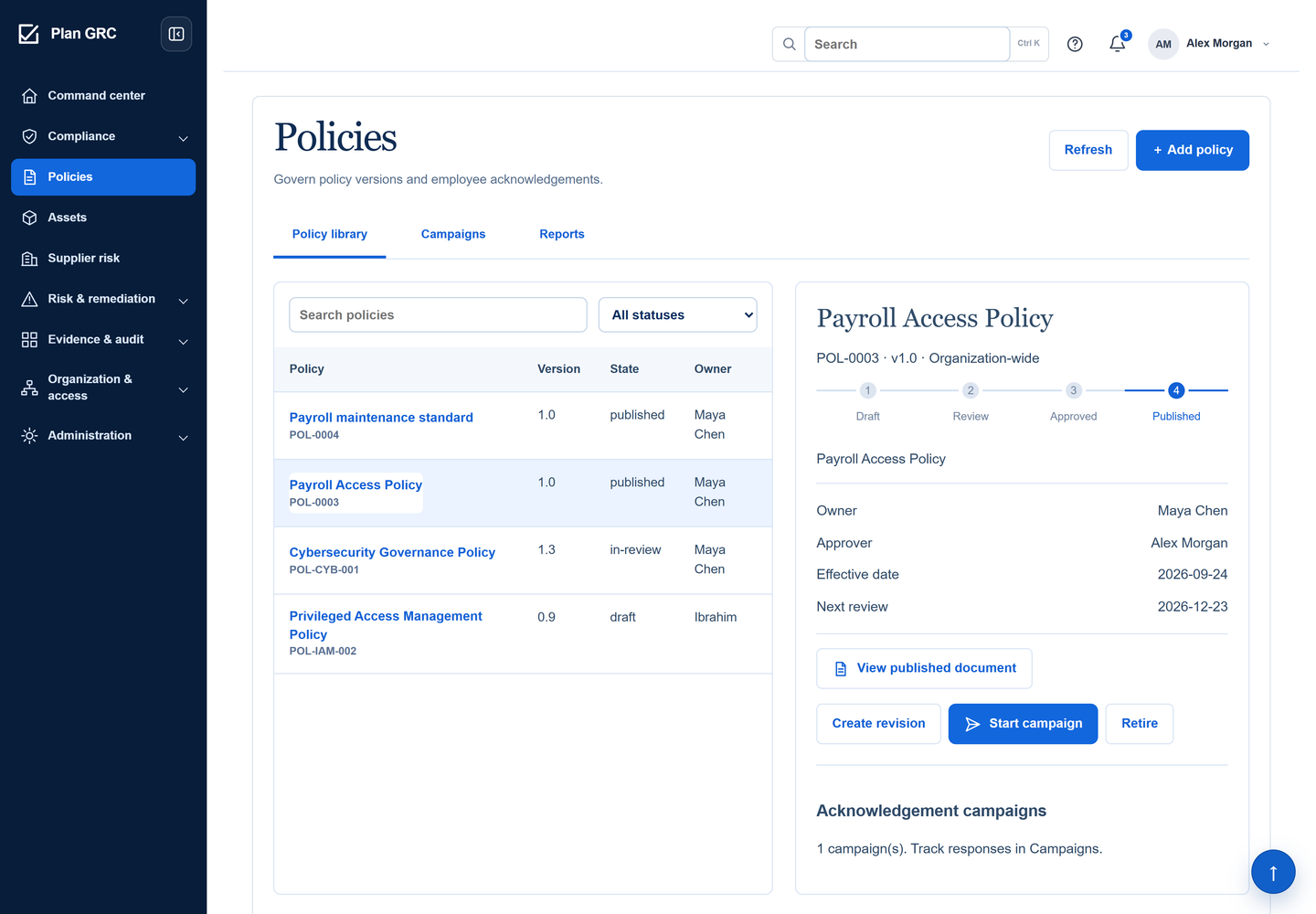
Alex’s inspector identifies Maya’s ownership, his approval, version 1.0 and the next review date. Access the publication or start a separate revision or campaign.

Keep the approved version, its owner and the people expected to act on it connected.
Maya updates the payroll access rules. Alex reviews the document before publication; Sam and Omar then need to understand their responsibilities. Each person has a different task. A publication status cannot answer who acknowledged the policy.
Name the owner and a different approver, select the source document, and set effective and review dates.
Name the owner and a different approver, select the source document, and set effective and review dates. Before approval, the source must pass its safety checks and Documents Library review. The policy is managed across the organisation.
Submission moves the draft into review and prevents ordinary editing.
Submission moves the draft into review and prevents ordinary editing. The owner or person who submitted it cannot approve their own policy. The reviewer can return it with a reason or approve the exact document version.
Publication is a separate action.
Publication is a separate action. The approved document version and integrity record must still match. A changed source needs another review. Publishing establishes the controlled document; it does not launch an acknowledgement campaign or record anyone’s response.
Start a campaign for the published version.
Start a campaign for the published version. Preview the intended people, confirm the audience and set a deadline. Organisation-based audiences use explicit assignments. The campaign preserves that audience; later hires or organisation changes do not silently alter it.
The employee opens the assigned publication and explicitly confirms they have read it and understand their responsibilities.
The employee opens the assigned publication and explicitly confirms they have read it and understand their responsibilities. They may instead ask a question or request an exception. Opening the document or resolving a question never counts as acknowledgement.
Review outstanding people, requests and exclusions.
Review outstanding people, requests and exclusions. Record resolutions and any exception expiry; retain the reason for exclusions. When content changes, create a separate draft revision and plan its distribution. Earlier publications and responses remain available in history.
Choose a record. See what it means, who is responsible and what still needs to happen.
Alex’s inspector identifies Maya’s ownership, his approval, version 1.0 and the next review date. Access the publication or start a separate revision or campaign.
Alex’s inspector identifies Maya’s ownership, his approval, version 1.0 and the next review date. Access the publication or start a separate revision or campaign.
Payroll Access Policy v1.0 is published; employee responses are a separate campaign.
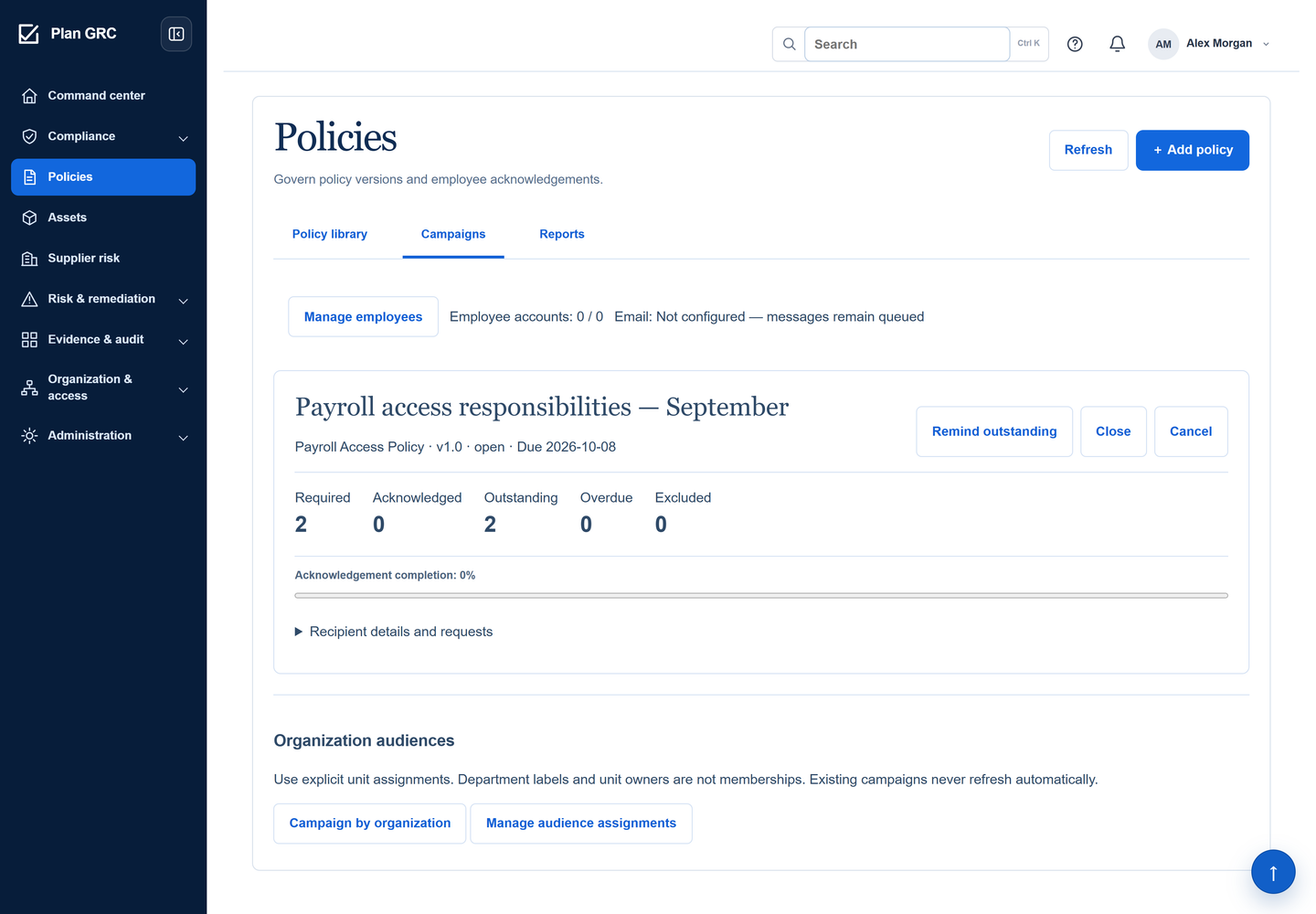
Open the original product screenThe campaign shows Sam’s recorded acknowledgement and Omar’s outstanding response. The deadline, outstanding count and reminder action keep follow-up specific. Its email status says messages remain queued because delivery is not configured.
Campaign state: 1 of 2 acknowledged. This is response progress, not a compliance score.
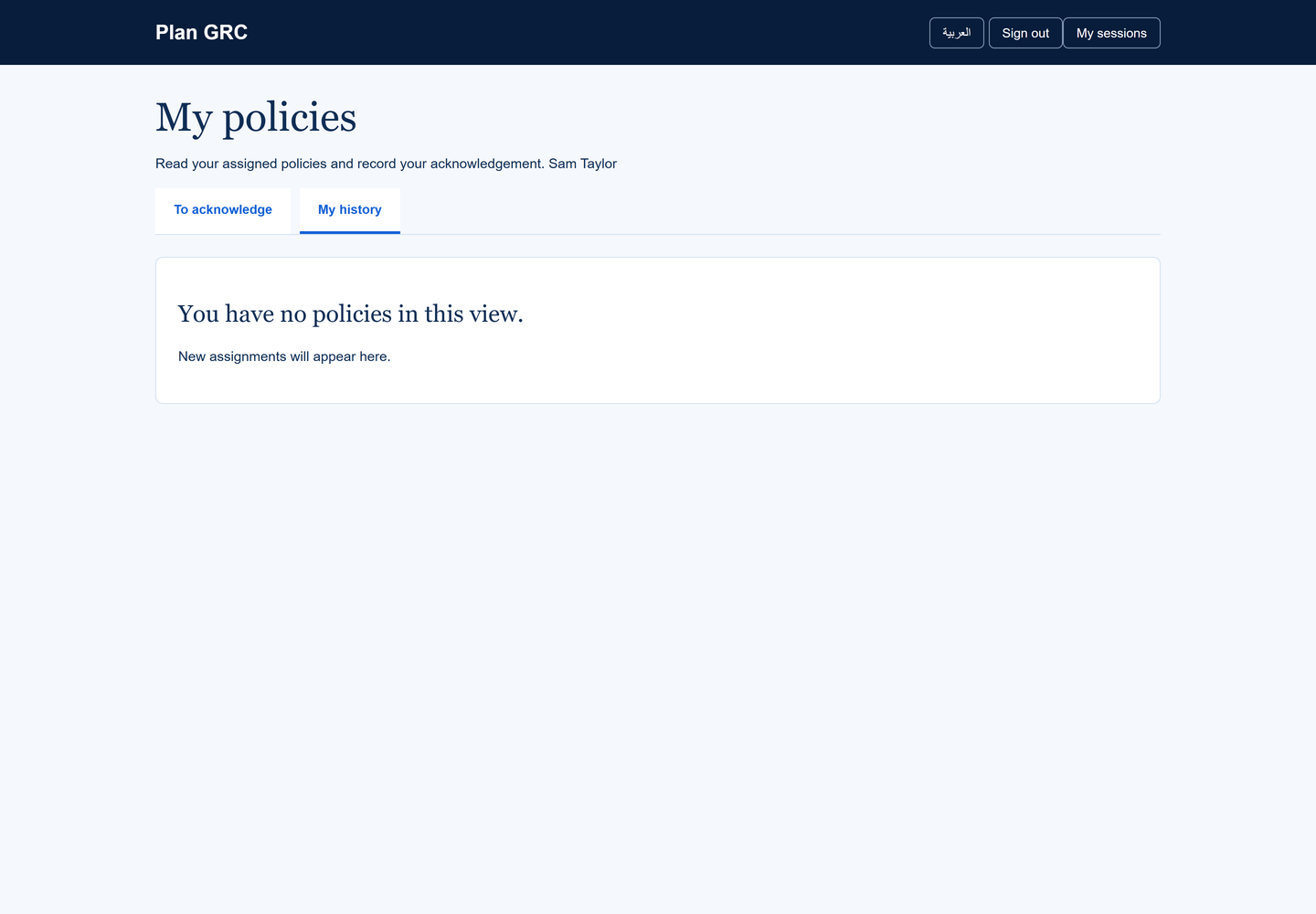
Open the original product screenLater, Sam’s history retains his acknowledgement of version 1.0, the time and his confirmation statement. He can view that policy and download the receipt. His response does not complete Omar’s separate assignment.
Sam’s retained v1.0 acknowledgement. A receipt records his response; it is not a training certificate.
Open the original product screen
Keep the document decision, intended audience and individual response connected without merging their meanings.
A question or exception request reaches the policy owner. A recorded resolution can explain the decision and an expiry date, but it does not acknowledge the policy on the employee’s behalf.
A campaign retains the people selected at launch. Use a reviewed follow-up campaign for new employees or repeat distribution. A department label or unit owner alone does not establish audience membership.
Create a new draft from a published policy, then repeat review and publication. Retiring an obsolete publication cancels its open campaigns while preserving previous versions and recorded responses.
Completion measures explicit responses from required recipients. It does not certify understanding, training or compliance. Exclusions remain visible. Acknowledgement-only accounts have restricted access and separate plan allowances; they do not receive the wider GRC workspace.
No. Neither the owner nor the person who submitted the draft can approve it. An eligible independent reviewer must approve the document before publication.
No. A revision starts as a separate draft. Previous responses stay with their publication; distribution of the new version requires its own audience and campaign.
No. Email requires configured delivery and scheduled processing. The example shows queued messages. Campaign progress and provider acceptance do not prove recipient delivery.
No. Each assigned employee records their own confirmation. Administrators can resolve requests or explain exclusions, but cannot turn those actions into an employee acknowledgement.
Control the version, choose its audience and retain the decisions and responses that follow.